


Views: 0 Author: Site Editor Publish Time: 2026-08-07 Origin: Site


Printing transmissive media presents a harsh operational reality. Graphics that look perfectly saturated under ambient shop lighting often appear washed out, severely banding, or color-shifted the moment they are installed and illuminated from behind. Standard reflective ICC profiles simply do not account for the light transmission properties of backlit materials. Relying on default poster settings leads to rejected proofs, wasted expensive media, and compromised brand integrity for high-impact retail displays like airport terminals, luxury cosmetics counters, and quick-service restaurant menu boards.
Achieving accurate, high-impact results requires a specialized approach to color management. Print operators must utilize custom ICC profiling, tailored ink density limits like double-strike configurations, and strict alignment between the RIP software and the specific substrate coating. Properly profiling transmissive media ensures deep blacks, vibrant colors, and consistent branding regardless of the light source.
Transmissive Profiling is Mandatory: Standard reflective profiles fail on backlit media; custom ICC profiles must account for the specific color temperature of the final lightbox illumination.
Ink Density Dictates Contrast: Achieving deep blacks and vibrant colors requires significantly higher Total Ink Coverage (TIC) or double-strike printing, necessitating precise linearization to prevent ink pooling.
Material Coating Impacts Calibration: The choice between microporous and swellable coatings on PET light box printing film dictates ink absorption rates, directly influencing the profiling parameters for UV, Latex, or Eco-Solvent printers.
File Prep is Just as Critical as Profiling: Proper rich black formulation and high-contrast curve adjustments in pre-press prevent washed-out graphics under intense backlighting.
Day/Night Consistency is a Trade-off: Profiling must balance how the graphic appears when unlit (often overly dark) versus illuminated (perfectly saturated), requiring strategic compromises based on the display's primary use case.
The fundamental difference between reflective media and transmissive media lies in how light interacts with the substrate. Reflective media relies on ambient light bouncing off the surface. Transmissive media requires light to pass through the material from behind. Success in transmissive printing means maintaining optical density and color gamut under intense backlighting. When a standard reflective profile is used on Advertising Backlit Film, the ink layer deposited is far too thin. The physics of light diffusion dictates that intense backlighting blows out the mid-tones. It also drastically reduces the D-Max, which is the maximum density of black. This results in the infamous washed-out phenomenon. Colors look weak. Blacks appear gray or muddy.
The light source itself introduces massive variables. The color temperature, measured in Kelvin, and the Color Rendering Index (CRI) of the lightbox LEDs alter the perceived color of the printed film. Generic profiles cannot account for whether the display uses warm 3000K LEDs or cool 6500K LEDs. Custom profiling becomes essential for color accuracy. We see this constantly in the field. Operators run a standard vinyl profile on a backlit job, and the client rejects it immediately upon installation. You have to build profiles specifically for the transmissive environment. The physics of light passing through an ink layer requires a completely different approach to dot placement and ink volume.
Furthermore, the intensity of the light source dictates the required ink density. A high-lumen LED array will punch through a standard ink layer, revealing the dot structure and any banding artifacts. By utilizing a transmissive profile, the RIP software compensates by laying down a denser, more uniform ink layer that diffuses the light evenly, maintaining the integrity of the image.
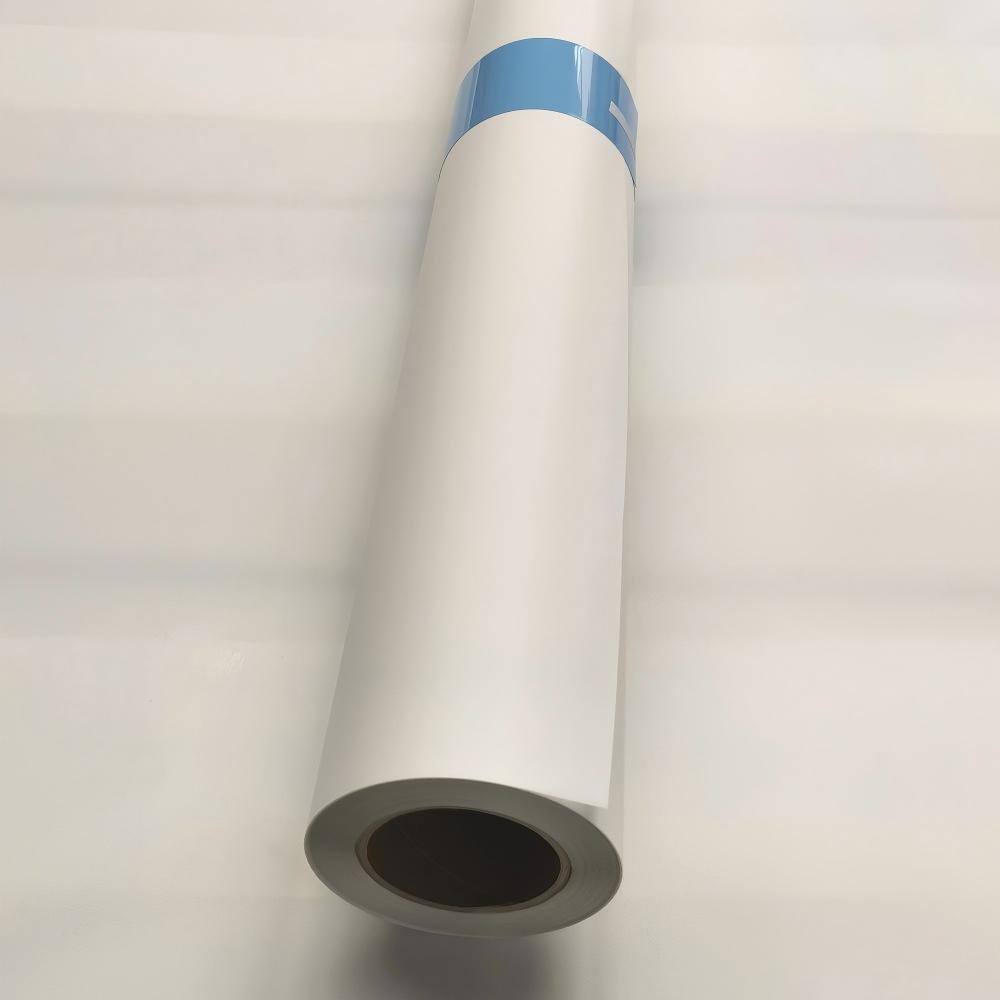
Selecting the correct substrate forms the foundation of successful backlit printing. Premium PET light box printing film outperforms cheaper alternatives like backlit paper, adhesive translucent vinyl, and tension fabrics. PET stands as the industry standard for high-end displays. It lacks fibrous hot-spots and offers superior light diffusion properties. Comparing PET (Polyethylene Terephthalate) against PVC alternatives highlights PET's superior dimensional stability under heat. This stability proves crucial for UV and Latex curing processes. PET also maintains flat-lying characteristics inside the lightbox. It resists warping or buckling over time, even under continuous heat from LED arrays.
Substrate Type | Light Diffusion | Dimensional Stability | Best Application |
|---|---|---|---|
PET Film | Excellent, no hot-spots | High (Resists heat warping) | High-end retail, airport displays |
Translucent PVC | Good, but prone to glare | Moderate (Can stretch) | Short-term outdoor signage |
Backlit Paper | Poor, fibrous texture visible | Low (Absorbs moisture) | Temporary bus shelter ads |
The coating on the film dictates how ink absorbs and cures. Microporous coatings offer fast drying times and high-resolution capabilities. They are ideal for aqueous and eco-solvent inks. Resin or top-coated films provide excellent UV and Latex ink adhesion. They also deliver enhanced scratch resistance. You must match your ink chemistry to the specific coating type. Using an aqueous ink on a resin-coated film leads to pooling and smearing. The coating acts as the receptor for the ink droplet, controlling dot gain and preventing the ink from spreading uncontrollably across the non-porous PET base.
Front-print films require higher ink densities to block light effectively. You print directly on the viewing surface. Back-print films are viewed through the clear substrate. This naturally protects the ink layer from scratches and environmental damage. However, back-print requires mirrored file preparation. It also demands specific white-point profiling to achieve accurate colors through the PET layer. The choice between front and back print often depends on the installation environment and the required durability of the graphic.
Different ink chemistries interact uniquely with PET films. Aqueous Pigment, Eco-Solvent, Latex, and UV-curable inks each require specific profiling approaches. Physical printer requirements matter immensely. Heavy-duty tension rollers and vacuum platens are necessary. They feed thick transmissive media without skewing or causing head strikes. If your vacuum is too low, the film buckles. If the tension is too high, it stretches. Proper media handling is just as important as the color profile itself.
Proper file preparation and RIP software configuration are critical. They maximize the performance of large format illuminated display film. You cannot skip steps here. The RIP software acts as the brain of the operation, translating the digital file into physical ink droplets optimized for transmissive viewing.
Artwork for close-proximity viewing should meet a 300 DPI final-size threshold. Constructing rich blacks specifically for illuminated displays prevents a muddy brown or dark green cast when backlit. A standard rich black like 60C, 40M, 40Y, 100K works well. Designers must artificially boost contrast and saturation in the mid-tones and shadows during pre-press. This compensates for the light-bleaching effect of the LEDs. If the file looks perfect on a standard monitor, it will likely look flat when printed and backlit.
Increasing ink limits is necessary for transmissive media. Print operators must evaluate different modes to achieve the required density.
Double-Strike Mode: Printing two layers of ink for maximum density.
High-Density Single-Pass: Laying down a heavier volume of ink in one pass.
Color-White-Color: Using a white ink layer sandwiched between two color layers for day/night consistency.
The benefits of maximum saturation must be weighed against the risks. These include increased curing time, media warping, and higher consumable costs. Pushing too much ink can overwhelm the media coating, leading to a host of print defects.
Linearization involves printing and reading charts. You determine the exact point where adding more ink yields no measurable increase in density. This prevents ink bleeding and pooling on non-porous PET surfaces. If you push the TIC too high, the ink simply will not cure. It sits on the surface and offsets onto the rollers. Proper linearization ensures a smooth transition from highlights to shadows without abrupt jumps in tone.
Generating a custom profile requires specific hardware. A spectrophotometer capable of transmissive readings, such as the Barbieri Spectro LFP, is ideal. Alternatively, operators can use a reflective spectrophotometer. You place the printed transmissive target over a standardized, optically brightener-free white backing board. Printing color patch targets with new ink limits and reading them under controlled conditions builds the accurate ICC profile. This profile maps the specific color gamut achievable with your printer, ink, and media combination.
Evaluating the final print involves assessing color consistency and resolution under actual lighting conditions. You cannot judge a backlit print by looking at it under standard shop fluorescents. It must be evaluated in a lightbox that mimics the final installation environment.
The Day/Night dilemma is a common challenge in the field. A profile optimized perfectly for backlighting will often look excessively dark and muddy when the lightbox is turned off. Dual-layer printing on clear backlit film for UV printers offers a premium solution. It achieves perfect day and night consistency. You print a color layer, a white diffuser layer, and another color layer. This ensures the graphic looks vibrant whether the lights are on or off.
Maintaining the industry standard of 300 DPI for close-viewing lightboxes is essential. RIP software must compensate for dot gain on backlit coatings. This maintains sharp text and fine gradients without muddying the shadows. If dot gain is ignored, small text becomes illegible when illuminated. The RIP must apply the correct curves to keep the dot structure tight and controlled.
Printing on backlit film carries specific risks. You need proactive mitigation strategies on the shop floor to prevent costly reprints and media waste.
Ink Pooling and Mottling: Exceeding the substrate's absorption capacity causes pooling. Mitigate this by strictly adhering to TIC limits. Optimize heater and curing settings based on the ambient shop temperature.
Thermal Media Warping: PET film can buckle under high Latex curing temperatures or UV LED heat. This leads to devastating head strikes. Reduce curing temperatures, increase pass counts, and optimize vacuum platen tension.
Banding in Solid Colors: Visible pass lines are exacerbated by backlighting. Utilize higher pass counts and bi-directional calibration. Optimize feed compensation specifically for the thickness of the backlit film.
Metamerism and Light Source Mismatch: Prints may look correct under shop fluorescents but shift colors under client LEDs. Profile with the specific illuminant setting in the RIP software that matches the final installation environment.
Successful backlit printing requires moving beyond out-of-the-box reflective profiles. Custom profiling stands as a mandatory technical requirement for professional large format output. Operators must match the ink chemistry to the correct PET coating. Determine the need for single-strike high-density or double-strike printing. Decide if day/night consistency warrants a specialized UV workflow.
Audit your current lightbox media inventory to verify coating compatibility with your specific ink chemistry.
Acquire the exact color temperature and CRI specifications of your clients' display hardware before profiling.
Execute a new linearization process using a transmissive-capable spectrophotometer to establish accurate TIC limits.
Print and evaluate a rich black test chart under actual backlit conditions to confirm D-Max performance.
A: A standard profile is designed for reflective light, depositing less ink. A backlit profile accounts for transmissive light diffusion. It utilizes higher Total Ink Coverage (TIC) and higher D-Max targets to maintain color saturation and contrast when illuminated from behind.
A: Double-strike printing is often necessary for Eco-Solvent and Latex printers to achieve sufficient ink density for vibrant backlit displays. However, it increases print time and requires careful curing management to prevent media warping.
A: Washed-out prints typically result from using a standard reflective profile. The ink layer is too thin, allowing the intense backlight to blow out the mid-tones and reduce the maximum black density.
A: Prevent ink pooling by performing proper linearization and establishing strict Total Ink Coverage (TIC) limits in your RIP software. Ensure your heater and curing settings are optimized for the specific media coating.
A: Yes, you can use a reflective spectrophotometer by placing the printed transmissive target over a standardized, optically brightener-free white backing board during the reading process. However, a transmissive spectrophotometer yields more accurate results.


