


Achieving professional-grade transparency prints requires more than just standard plastic sheets. It demands dimensionally stable, chemically coated materials. You need substrates engineered for absolute precision. Raw plastics naturally reject liquid inks upon contact. Without a specialized receptive layer, your prints will simply bead, pool, and smear across the page. We define Inkjet PET Film as a highly specialized polyester substrate. It features a microscopic receiving layer designed specifically to bind liquid inkjet ink.
Choosing the correct film directly dictates your operational efficiency. It guarantees print durability and maximizes end-product quality. These applications range from screen printing positives to vivid commercial backlit displays. In this guide, you will learn how to evaluate base layers. You will understand the crucial differences in ink-receptive coatings. Finally, we outline critical hardware limitations to verify before planning any widespread rollout.
Material stability: PET provides heat and moisture resistance that standard acetate or PVC cannot match, preventing head-strikes and warping.
Coating is the differentiator: The film is only as good as its receptive coating; ink compatibility (dye vs. pigment) dictates drying time and water resistance.
Application dictates specs: Purchasing decisions should be driven by specific use-case metrics (e.g., Dmax for screen printing, optical clarity for overlays).
Hardware limits: A successful rollout requires verifying printer feeding mechanisms and ink sets before bulk purchasing.
To understand how these substrates perform, we must examine their physical construction. Every professional sheet consists of two distinct elements. The first is the structural base. The second is the chemical surface. They work together to produce crisp, permanent images.
Polyethylene Terephthalate, commonly known as PET, serves as the industry standard base layer. It dominates the market for several critical reasons. PET offers exceptionally high tensile strength. It maintains absolute dimensional stability under mechanical stress. When your printer rollers pull the sheet, PET will not stretch. It resists tearing and refuses to shrink. Standard acetate and PVC warp easily under slight temperature changes. PET remains entirely flat. This rigidity prevents devastating head-strikes inside your printer.
You cannot print directly onto raw polyester. Liquid ink behaves poorly on untreated plastic. It immediately beads up into tiny droplets. The ink pools together and eventually smears off the edge. To solve this, manufacturers apply an invisible ink-receptive coating. This microscopic layer acts like a sponge. It absorbs the liquid carrier fluid while locking the colorants firmly in place.
Not all coatings function the same way. You will typically encounter two primary chemical formulations. Each serves a very different printing objective.
Micro-porous coatings: These feature millions of microscopic holes. They absorb ink almost instantly. This rapid drying makes them the absolute standard for commercial use. They are highly compatible with pigment inks. They offer superior water resistance.
Swellable coatings: These rely on polymers expanding when wet. They absorb the ink by swelling around it. They produce highly vibrant colors. They work much better for dye inks. However, swellable films remain extremely vulnerable to ambient humidity.
Always advise your buyers to verify the exact coating type. They should consult their supplier rather than just looking at the base material. You must match the coating chemistry to your specific ink set for optimal results.
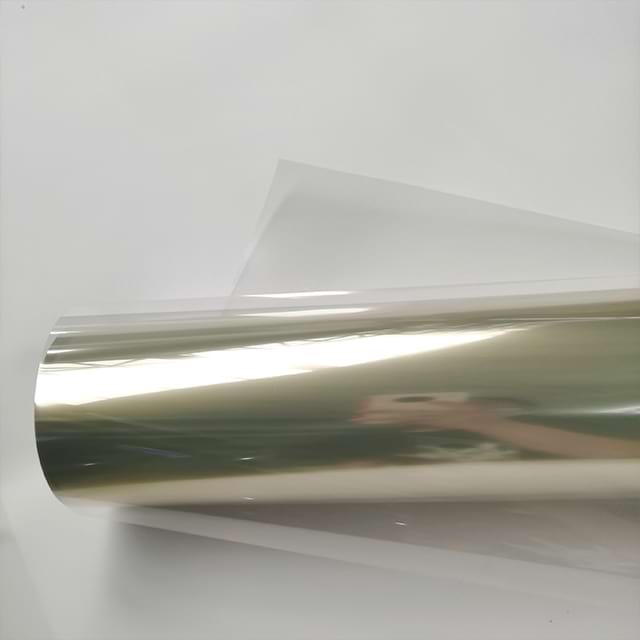
Different projects demand vastly different material properties. A single type of Transparent inkjet film cannot satisfy every creative or industrial requirement. You must align your material selection with your end goal.
Screen printers rely heavily on precise film positives. The primary goal is blocking UV light during the screen exposure process. Any light leakage ruins the final stencil.
Dmax Capability: This measures maximum ink density. The film must hold enough black ink to create an entirely opaque mask.
Dimensional Stability: Multi-color jobs require several screens. The film cannot stretch or warp. Absolute dimensional stability ensures multi-color registration aligns perfectly every single time.
Fast Drying: Heavy ink loads require rapid curing to prevent smudging during handling.
Design agencies frequently produce client-facing prototypes. The goal is simulating real retail packaging. Presentation quality determines the success of the mockup.
The primary evaluation criteria here include optical clarity and physical durability. You need a film exhibiting minimal milky or frosted tint. The material must remain as invisible as possible. Furthermore, scratch resistance plays a major role. Clients will handle these overlays physically. The ink must not chip or flake off during inspection.
Retail environments utilize illuminated graphics constantly. The main goal involves light diffusion without washing out colors. Direct light destroys image contrast if the substrate is too clear.
The evaluation criteria shift away from absolute transparency. Backlit applications need a semi-transparent or milky finish. Manufacturers specifically engineer this translucency. It diffuses internal LED light evenly across the graphic. This prevents harsh hot-spots from ruining the visual display.
Application | Primary Goal | Crucial Evaluation Criteria |
|---|---|---|
Screen Printing | Blocking UV Light | Maximum Dmax, absolute dimensional stability |
Packaging Mockups | Client Presentations | High optical clarity, scratch resistance |
Backlit Displays | Even Light Diffusion | Milky finish, hot-spot prevention |
Many users assume transparent sheets work interchangeably across all printers. This assumption leads to catastrophic equipment failures. The underlying technologies operate on completely opposite principles.
Laser printers utilize a heat-based fusing process. They apply dry toner powder to the page. A fuser drum then melts this powder into the substrate at temperatures exceeding 400°F (200°C). Inkjet printers rely on a liquid-spraying process. Printheads hover over the page. They fire microscopic droplets of wet ink onto the chemical coating. They use no extreme heat during the actual transfer.
Mixing these materials guarantees severe problems. You must understand the specific consequences of loading the wrong media.
Inkjet film in a laser printer: The specialized micro-porous coating cannot withstand 400°F temperatures. It will instantly melt onto the hot fuser drum. This destroys the expensive hardware. You will face immediate maintenance calls.
Laser film in an inkjet printer: Laser films lack absorbent coatings. They feature smooth, heat-resistant surfaces. Liquid ink will sit entirely wet on the page. It will slide off inside the machine. It ruins the internal rollers and smears everywhere.
Facilities operating both printer types must establish strict inventory controls. Implement aggressive labeling protocols. Segregate the supply closets completely. Never leave unlabeled transparent sheets sitting near community printers. Clear communication prevents accidental hardware destruction.
Selecting the optimal product requires evaluating three distinct variables. You must balance thickness, ink chemistry, and environmental resistance. These factors dictate final output quality.
Film thickness dramatically impacts printer compatibility and physical handling. Manufacturers measure this in mils (thousandths of an inch) or microns.
The 4-mil (100-micron) gauge represents the industry standard. It remains highly flexible. It is remarkably cost-effective. This weight passes effortlessly through most desktop and wide-format feed rollers. It easily navigates tight U-turn paper paths.
The 5-mil (130-micron) and heavier gauges offer premium rigidity. They work best for large format positives. The extra weight prevents edge curling during long prints. However, you must feed them through straight-through printer paths. Thick sheets jam easily in curved roller mechanisms.
Always assess your facility's current hardware first. Pigment inks consist of solid color particles suspended in fluid. They are archival and highly UV resistant. Pigment requires specific microporous films to prevent surface smudging. The particles must lodge into the porous holes.
Dye inks utilize colorants fully dissolved in liquid. They dry much faster overall. They penetrate deeper into the receptive layers. However, dye prints may fade rapidly if exposed to direct UV sunlight. Match your exact ink formulation to the manufacturer's recommended substrate.
Marketing terminology often misleads consumers regarding water resistance. You must clarify what "waterproof" actually means in this industry.
A waterproof designation refers strictly to the coating's ability to lock in the ink. It prevents immediate color bleeding upon minor moisture contact. If a damp hand touches the print, it survives. It does not mean you can submerge the print underwater indefinitely. The base PET ignores water, but the chemical coating eventually breaks down if soaked continually.
Feature Category | Standard Option | Premium Option | Best Use Case |
|---|---|---|---|
Thickness | 4-mil / 100-micron | 5+ mil / 130+ micron | Desktop (4-mil) vs Large Format (5-mil) |
Ink Type | Dye Compatible | Pigment Compatible | Vivid graphics (Dye) vs Archival masks (Pigment) |
Coating Type | Swellable | Micro-porous | Climate controlled (Swellable) vs High volume (Micro-porous) |
Even perfectly matched materials experience occasional production hurdles. Operators must recognize common physical bottlenecks. Rapid troubleshooting maintains high production speeds.
Many modern optical printer sensors struggle to detect perfectly transparent sheets. The laser bounces directly through the plastic. The machine registers an empty tray. It subsequently refuses to print.
Evaluate films featuring a removable white sensor stripe on the leading edge. This opaque paper strip tricks the optical sensor. The machine detects the edge accurately. The printer feeds the sheet normally. You simply peel the stripe off after the print finishes.
Printing on the wrong side constitutes the most common user error. The uncoated side rejects liquid instantly. It causes a massive internal ink spill.
The identification process remains simple. The coated (printable) side feels slightly tacky or rough to the touch. The non-printable side feels perfectly smooth. If you remain unsure, lightly moisten your finger. Touch a tiny corner of the sheet. Your finger will stick slightly to the coated printing side.
Ambient room conditions alter drying times drastically. High humidity fills the micro-porous coating with ambient moisture. The ink has nowhere to go. Drying times extend significantly under these conditions.
Wet prints stacked together will stick permanently. We highly recommend implementing a controlled drying rack protocol for high-volume operations. Keep the room humidity below 60% whenever possible. Utilize oscillating fans to move air across fresh prints safely.
Successfully integrating these specialized materials requires diligent preparation. Buying the right sheet is fundamentally an exercise in matching hardware with your ultimate end-goal. You must align your ink type and feed mechanism with your requirements for opacity, clarity, and rigidity. Ignoring any of these factors compromises your final output.
We recommend ordering small sample packs first. Usually, 10 to 20 sheets will suffice for initial trials. Run these sheets through your actual production equipment. Test your maximum Dmax levels. Verify your real-world drying times under your specific room humidity. Ensure your printer sensor detects the edges properly. Completing these tests protects your budget before committing to wholesale rolls or bulk sheet purchases.
A: No. Without the micro-porous chemical coating, liquid ink will simply pool and smear off the plastic surface. Regular PET lacks the necessary receptive layer to bind the colorants.
A: Depending on the ink load (density) and humidity, prints can take anywhere from 3 to 15 minutes to become touch-dry, and up to 24 hours to fully cure for scratch resistance.
A: Always print on the coated side. A common test is to lightly moisten a finger and touch a corner; the sticky side is the print side. The smooth side will reject the ink.


